> For the complete documentation index, see [llms.txt](https://docs.geoprismregistry.com/llms.txt). Markdown versions of documentation pages are available by appending `.md` to page URLs; this page is available as [Markdown](https://docs.geoprismregistry.com/version/v2.0.0/configure/geo-objects-and-hierarchies/geo-object-type-groups/adding-a-group.md).

# Adding a group

{% hint style="info" %}
Registry Administrators can create groups under the curation mandate of their organization
{% endhint %}

1. Navigate to the **Geo-Objects and Hierarchies** page from the sidebar and make sure **Geo-Object Types** is selected at the top of the list.

   <figure><img src="https://3732932512-files.gitbook.io/~/files/v0/b/gitbook-x-prod.appspot.com/o/spaces%2F9giVyCrmTxAs33YrSRbJ%2Fuploads%2Fhw196wE4agz7ECnflsHp%2Fimage.png?alt=media&amp;token=bb5d828e-4b3c-4e36-8504-5d5143e157c8" alt=""><figcaption></figcaption></figure>
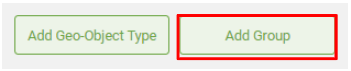
2. Click **Add Group** under your organization.

   <figure><img src="https://3732932512-files.gitbook.io/~/files/v0/b/gitbook-x-prod.appspot.com/o/spaces%2F9giVyCrmTxAs33YrSRbJ%2Fuploads%2FpNuVuLSwxs1Z2YzDWEL7%2Fimage.png?alt=media&amp;token=05b4254f-e20a-420c-8b0f-4330af65afe0" alt=""><figcaption></figcaption></figure>
3. Fill out the form:

   | Field                           | Description                                                                                                                                                                                                                                                                                                                                                                                                              | Required                    |
   | ------------------------------- | ------------------------------------------------------------------------------------------------------------------------------------------------------------------------------------------------------------------------------------------------------------------------------------------------------------------------------------------------------------------------------------------------------------------------ | --------------------------- |
   | Code                            | The unique human-readable identifier of the group. It can't be changed later.                                                                                                                                                                                                                                                                                                                                            | Required                    |
   | Label (Default Locale)          | The display label for the group. It's used when the default locale is selected in the language toggle, or when another language is selected but has no label.                                                                                                                                                                                                                                                            | Required                    |
   | Label (other installed locales) | A display label for each other locale installed in the system.                                                                                                                                                                                                                                                                                                                                                           |                             |
   | Description (Abstract)          | A description of the group, with one field per installed locale.                                                                                                                                                                                                                                                                                                                                                         |                             |
   | Group Membership                | **Group Geo-Object Type** is selected and can't be changed.                                                                                                                                                                                                                                                                                                                                                              |                             |
   | Visibility                      | Select **Private** to make the group visible only to people in its organization. Every Geo-Object Type in the group uses this setting.                                                                                                                                                                                                                                                                                   |                             |
   | Geometry Type                   | The geometry that all Geo-Objects in the group must have: **Point**, **Line**, **Polygon** or **Mixed Geometries**. Every Geo-Object Type in the group uses this setting. It can't be changed later.                                                                                                                                                                                                                     | Required                    |
   | Enable geometry editing         | Whether Geo-Object geometries can be edited with Geoprism Registry's web-based editing tools. Selected by default.                                                                                                                                                                                                                                                                                                       |                             |
   | Organization                    | The organization that manages the group. It's filled in with the organization you clicked **Add Group** under, and can't be changed.                                                                                                                                                                                                                                                                                     |                             |
   | Concept Set                     | <p>Optional. The Concept Set used to classify Geo-Objects in this group. Selecting one adds a <strong>classification</strong> attribute. When you import Geo-Object data, you map a column in your file to this attribute, and its values must be Concepts in the Concept Set.<br><br><mark style="color:$warning;">IMPORTANT: The Concept Set can't be added, changed or removed after the group is created.</mark></p> |                             |
   | Start Date / End Date           | The period of validity for the Concept Set. Only shown when you choose a Concept Set.                                                                                                                                                                                                                                                                                                                                    | Required with a Concept Set |
   | Root Term                       | For a taxonomy Concept Set, the Concept whose branch of the taxonomy provides the allowed values.                                                                                                                                                                                                                                                                                                                        |                             |

   <figure><img src="https://lh3.googleusercontent.com/DWx50Sipzjq4Oddh9w1bM1_qnDFQbsX_t_9WaoNBF7r5qVWLwUFOmx6de-kWpgW1RPLWNZjUqNo7p8TKtPlA_j41xvpPbsr3E-UvVpN-Z8wG4q77DOYQM-4vHi19fLeaDW83oa-7NbLcdDLfcEzjBxRAFZ2YStw2mXvGGNrWseiRdmxL-XoYnN8O" alt=""><figcaption></figcaption></figure>
4. Click **Ok**. The group appears under your organization. Next, [add Geo-Object Types to the group](/version/v2.0.0/configure/geo-objects-and-hierarchies/geo-object-type-groups/adding-a-geo-object-type-to-a-group.md).